Overview
Use the Teamwork Chrome extension to add teamwork tasks from another website such as WHMCS or the How Hub.
One useful feature is creating a URL link in the Teamwork task back to the originating ticket or page.
Installation & General use of the Teamwork Chrome Extension
For a general overview of installing and using the Teamwork Chrome extension see the teamwork.com site.
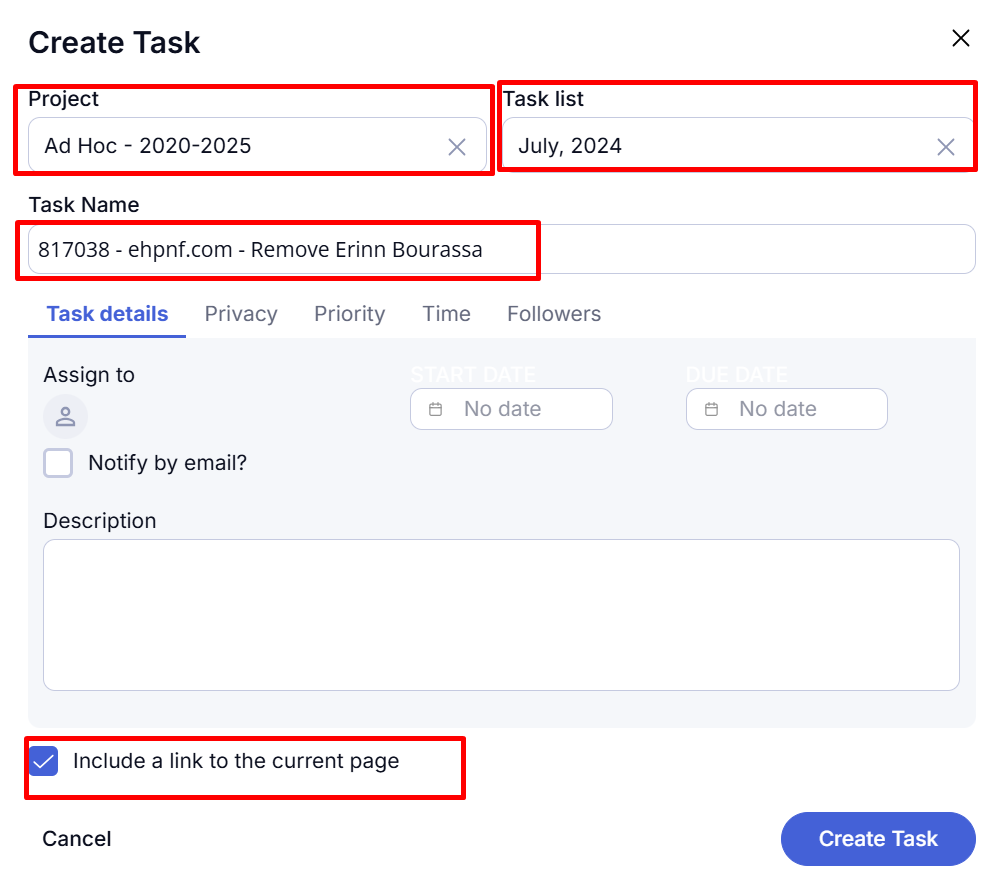
Creating a Teamwork Task From a WHMCS Ticket
- In the ticket, copy the ticket number & name, avoiding the hashtag

- Choose CREATE TASK from the Chrome extension
- Select the correct PROJECT and TASK LIST
- Paste the ticket number & name into the TASK NAME
- At the bottom, [Check] INCLUDE A LINK TO THE CURRENT PAGE.
- You can also ASSIGN TO some, set start & end date, etc.
- [Click] CREATE TASK
An example with the key items filled highlighted: